
Radar de lectores. Guide
Substack tells you how many people read you. It doesn't tell you where they came from. This PDF walks you through connecting Google Analytics to your newsletter, and from then on 5 minutes a week is enough to know which door your readers come through and which post works.
No tools to pay for: Google Analytics is free and you already have Substack. Nothing to code, nothing to install. Menu paths and screens checked in July 2026.
You publish every week without knowing what's working.
Substack gives you subscribers and open rates, and that's where it stops. You don't know whether those people arrived from a note, from Google, or from another newsletter's link. Without that, every post is a blind bet: you can't repeat what works because you don't know what worked.
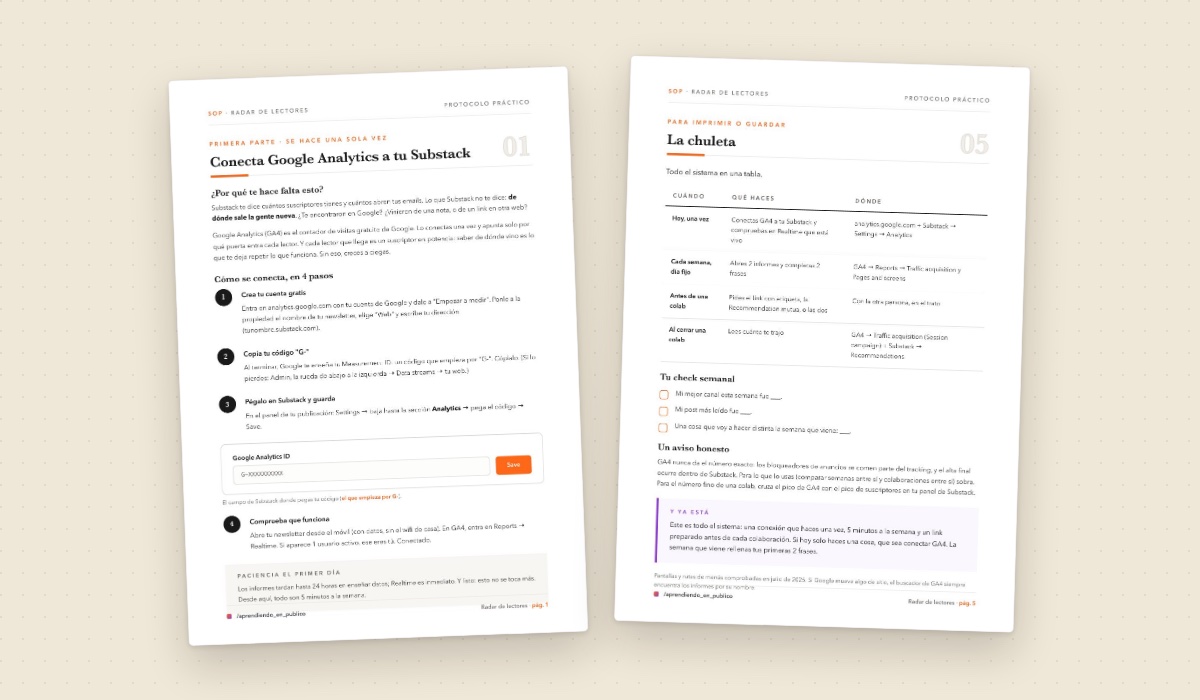
Inside: the step-by-step with the real screens, and the final cheat sheet with the whole system in one table. Written in Spanish.
Connect it once. After that it's 5 minutes.
Follow the 4 screens in the PDF and connect Google Analytics to your Substack. 15 minutes, and you never touch it again.
Pick your day of the week. Open the 2 reports the PDF points you to, translated into plain language.
Walk away with 2 sentences filled in: your best channel this week and your most-read post. That's it.
What you get
- The step-by-step for connecting Google Analytics to your Substack, with the screens drawn out.
- The 2 weekly reports translated: what each one shows and what you do about it.
- The link set up to measure a collaboration: how many subscribers it actually brought you.
- The final cheat sheet with the whole system in one table, ready to print.
- The honest warning about what Google Analytics won't tell you, so you don't draw false conclusions.
- All of it as a 6-page PDF, written in Spanish. The Google Analytics menu names stay in English, exactly as they appear on your screen.
Who it's for
- You have a Substack newsletter and you publish fairly regularly.
- You've never connected Google Analytics, or you connected it and never opened it again.
- You open the analytics panels, see a thousand numbers, and close them with nothing.
- You run collaborations, or plan to, and want to know what they actually bring you.
- You want a short fixed routine, not a data analysis habit.
- You read Spanish comfortably. The PDF is written in Spanish.
Who it's not for
- You already have GA4 connected and your own weekly routine running.
- Your newsletter isn't on Substack. The whole walkthrough is Substack-specific.
- You want advanced analysis, funnels or custom reports. This is the minimum that works.
- You want someone to read your numbers and tell you what to do. Here you read them yourself.
- You expect exact figures down to the decimal. The PDF explains why those don't exist.
Connect it today. Next week you'll know where your readers come from.
Buy Radar de lectores · €4.95One-time purchase · download it and it's yours — no account, no subscription